Circumstances may arise where because of a default on ASUS’ part or other liability, you are entitled to recover damages from ASUS. In each such instance, regardless of the
basis on which you are entitled to claim damages from ASUS, ASUS is liable for no more than damages for bodily injury (including death) and damage to real property and
tangible personal property; or any other actual and direct damages resulted from omission or failure of performing legal duties under this Warranty Statement, up to the listed
contract price of each product.
ASUS will only be responsible for or indemnify you for loss, damages or claims based in contract, tort or infringement under this Warranty Statement.
This limit also applies to ASUS’ suppliers and its reseller. It is the maximum for which ASUS, its suppliers, and your reseller are collectively responsible.
UNDER NO CIRCUMSTANCES IS ASUS LIABLE FOR ANY OF THE FOLLOWING: (1) THIRD-PARTY CLAIMS AGAINST YOU FOR DAMAGES; (2) LOSS OF, OR DAMAGE TO, YOUR
RECORDS OR DATA; OR (3) SPECIAL, INCIDENTAL, OR INDIRECT DAMAGES OR FOR ANY ECONOMIC CONSEQUENTIAL DAMAGES (INCLUDING LOST PROFITS OR SAVINGS), EVEN
IF ASUS, ITS SUPPLIERS OR YOUR RESELLER IS INFORMED OF THEIR POSSIBILITY.
REACH
Complying with the REACH (Registration, Evaluation, Authorisation, and Restriction of Chemicals) regulatory framework, we published the chemical substances in our products
at ASUS REACH website at http://csr.asus.com/english/REACH.htm.
Proper disposal
DO NOT throw the device in municipal waste. This product has been designed to enable proper reuse of parts and recycling. The symbol of the
crossed out wheeled bin indicates that the product (electrical, electronic equipment and mercury-containing button cell battery) should not
be placed in municipal waste. Check local regulations for disposal of electronic products.
DO NOT throw the device in fire. DO NOT short circuit the contacts.
DO NOT disassemble the device.
ASUS Recycling/Takeback Services
ASUS recycling and takeback programs come from our commitment to the highest standards for protecting our environment. We believe in providing solutions for you to be
able to responsibly recycle our products, batteries, other components as well as the packaging materials. Please go to http://csr.asus.com/english/Takeback.htm for detailed
recycling information in different regions.
Federal Communications Commission Statement
This device complies with Part 15 of the FCC Rules. Operation is subject to the following two conditions:
• This device may not cause harmful interference.
• This device must accept any interference received including interference that may cause undesired operation.
This equipment has been tested and found to comply with the limits for a Class B digital device, pursuant to Part 15 of the FCC Rules. These limits are designed to provide
reasonable protection against harmful interference in a residential installation. This equipment generates, uses and can radiate radio frequency energy and, if not installed and
used in accordance with manufacturer’s instructions, may cause harmful interference to radio communications. However, there is no guarantee that interference will not occur
in a particular installation. If this equipment does cause harmful interference to radio or television reception, which can be determined by turning the equipment off and on,
the user is encouraged to try to correct the interference by one or more of the following measures:
• Reorient or relocate the receiving antenna.
• Increase the separation between the equipment and receiver.
• Connect the equipment to an outlet on a circuit different from that to which the receiver is connected.
• Consult the dealer or an experienced radio/TV technician for help.
CAUTION! The use of shielded cables for connection of the monitor to the graphics card is required to assure compliance with FCC regulations. Changes or
modifications to this unit not expressly approved by the party responsible for compliance could void the user’s authority to operate this equipment.
Compliance Statement of Innovation, Science and Economic Development Canada (ISED)
This device complies with Innovation, Science and Economic Development Canada licence exempt RSS standard(s). Operation is subject to the following two conditions: (1)
this device may not cause interference, and (2) this device must accept any interference, including interference that may cause undesired operation of the device.
CAN ICES-003(B)/NMB-003(B)
Safety Guidelines
Keep the device away from liquid, humidity, or moisture. Operate the device only within the specific temperature range of 0°C(32°F) to 40°C(104°F). When the device exceeds
the maximum temperature, unplug or switch off the device to let it cool down.
RF Exposure Warning
The equipment complies with FCC RF exposure limits set forth for an uncontrolled environment. The equipment must not be co-located or operating in conjunction with any
other antenna or transmitter.
D
é
claration de conformit
é
de Innovation, Sciences et D
é
veloppement
é
conomique Canada (ISED)
Le présent appareil est conforme aux CNR d’Innovation, Sciences et Développement économique Canada applicables aux appareils radio exempts de licence. L’exploitation
est autorisée aux deux conditions suivantes : (1) l’appareil ne doit pas produire de brouillage, et (2) l’utilisateur de l’appareil doit accepter tout brouillage radioélectrique subi,
même si le brouillage est susceptible d’en compromettre le fonctionnement.
CAN ICES-00(B)/NMB-003(B)
Informations concernant l'exposition aux fréquences radio (RF)
La puissance de sortie rayonnée du dispositif sans fil est inférieure aux limites d'exposition aux radiofréquences d'Innovation, Sciences et Développement économique Canada
(ISED). Le dispositif sans fil doit être utilisé de manière à minimiser le potentiel de contact humain pendant le fonctionnement normal.
Cet appareil a également été évalué et montré conforme aux limites d'exposition RF ISED dans des conditions d'exposition portable. (les antennes mesurent moins de 20 cm
du corps d'une personne).
Accessories that came with this product have been designed and veried for the use in connection with this product. Never use accessories for other products to
The radiated output power of the Wireless Device is below the Innovation, Science and Economic Development Canada (ISED) radio frequency exposure limits. The Wireless
Device should be used in such a manner such that the potential for human contact during normal operation is minimized.
This device has also been evaluated and shown compliant with the ISED RF Exposure limits under portable exposure conditions. (antennas are less than 20 cm of a person's
body).
CE Mark Warning
English ASUSTeK Computer Inc. hereby declares that this device is in compliance with the essential requirements and other relevant provisions of related
Directives. Full text of EU declaration of conformity is available at: www.asus.com/support
Français AsusTek Computer Inc. déclare par la présente que cet appareil est conforme aux critères essentiels et autres clauses pertinentes des directives
concernées. La déclaration de conformité de l’UE peut être téléchargée à partir du site Internet suivant : www.asus.com/support.
Deutsch ASUSTeK Computer Inc. erklärt hiermit, dass dieses Gerät mit den wesentlichen Anforderungen und anderen relevanten Bestimmungen der
zugehörigen Richtlinien übereinstimmt. Der gesamte Text der EU-Konformitätserklärung ist verfügbar unter: www.asus.com/support
Italiano ASUSTeK Computer Inc. con la presente dichiara che questo dispositivo è conforme ai requisiti essenziali e alle altre disposizioni pertinenti con le
direttive correlate. Il testo completo della dichiarazione di conformità UE è disponibile all’indirizzo: www.asus.com/support
Русский Компания ASUS заявляет, что это устройство соответствует основным требованиям и другим соответствующим условиям соответствующих
директив. Подробную информацию, пожалуйста, смотрите на www.asus.com/support
Български С настоящото ASUSTeK Computer Inc. декларира, че това устройство е в съответствие със съществените изисквания и другите приложими
постановления на свързаните директиви. Пълният текст на декларацията за съответствие на ЕС е достъпна на адрес: www.asus.com/support
Hrvatski ASUSTeK Computer Inc. ovim izjavljuje da je ovaj uređaj sukladan s bitnim zahtjevima i ostalim odgovarajućim odredbama vezanih direktiva. Cijeli
tekst EU izjave o sukladnosti dostupan je na: www.asus.com/support
Čeština Společnost ASUSTeK Computer Inc. tímto prohlašuje, že toto zařízení splňuje základní požadavky a další příslušná ustanovení souvisejících směrnic.
Plné znění prohlášení o shodě EU je k dispozici na adrese: www.asus.com/support
Dansk ASUSTeK Computer Inc. erklærer hermed, at denne enhed er i overensstemmelse med hovedkravene og andre relevante bestemmelser i de relaterede
direktiver. Hele EU-overensstemmelseserklæringen kan findes på: www.asus.com/support
Nederlands ASUSTeK Computer Inc. verklaart hierbij dat dit apparaat voldoet aan de essentiële vereisten en andere relevante bepalingen van de verwante
richtlijnen. De volledige tekst van de EU-verklaring van conformiteit is beschikbaar op: www.asus.com/support
Eesti Käesolevaga kinnitab ASUSTeK Computer Inc, et see seade vastab asjakohaste direktiivide oluliste nõuetele ja teistele asjassepuutuvatele sätetele. EL
vastavusdeklaratsiooni täielik tekst on saadaval järgmisel aadressil: www.asus.com/support
Suomi ASUSTeK Computer Inc. ilmoittaa täten, että tämä laite on asiaankuuluvien direktiivien olennaisten vaatimusten ja muiden tätä koskevien säädösten
mukainen. EU-yhdenmukaisuusilmoituksen koko teksti on luettavissa osoitteessa: www.asus.com/support
Ελληνικά Με το παρόν, η AsusTek Computer Inc. δηλώνει ότι αυτή η συσκευή συμμορφώνεται με τις θεμελιώδεις απαιτήσεις και άλλες σχετικές διατάξεις των
Οδηγιών της ΕΕ. Το πλήρες κείμενο της δήλωσης συμβατότητας είναι διαθέσιμο στη διεύθυνση: www.asus.com/support
Magyar Az ASUSTeK Computer Inc. ezennel kijelenti, hogy ez az eszköz megfelel a kapcsolódó Irányelvek lényeges követelményeinek és egyéb vonatkozó
rendelkezéseinek. Az EU megfelelőségi nyilatkozat teljes szövege innen letölthető: www.asus.com/support
Latviski ASUSTeK Computer Inc. ar šo paziņo, ka šī ierīce atbilst saistīto Direktīvu būtiskajām prasībām un citiem citiem saistošajiem nosacījumiem. Pilns ES
atbilstības paziņojuma teksts pieejams šeit: www.asus.com/support
Lietuvių „ASUSTeK Computer Inc.“ šiuo tvirtina, kad šis įrenginys atitinka pagrindinius reikalavimus ir kitas svarbias susijusių direktyvų nuostatas. Visą ES
atitikties deklaracijos tekstą galima rasti: www.asus.com/support
KC: Korea Warning Statement
Ukraine Certification Logo
UA.TR.028
EAC Certification Logo
Lithium-Ion Battery Warning
CAUTION: Danger of explosion if battery is incorrectly replaced. Replace only with the same or equivalent type recommended
by the manufacturer. Dispose of used batteries according to the manufacturer’s instructions.
Visit our multi-language website at https://www.asus.com/support/.
UKCA RF Output table (The Radio Equipment Regulations 2017)
FunctionFrequencyMaximum Output Power (EIRP)
2.4GHz wireless
(2403 - 2480MHz) - Mouse10 dBm
(2403 - 2480 MHz) - Dongle10 dBm
Bluetooth(2402 - 2480 MHz) - Mouse7 dBm
CE RED RF Output table (Directive 2014/53/EU)
FunctionFrequencyMaximum Output Power (EIRP)
2.4GHz wireless
(2403 - 2480MHz) - Mouse10 dBm
(2403 - 2480 MHz) - Dongle10 dBm
Bluetooth(2402 - 2480 MHz) - Mouse7 dBm
Simplified UKCA Declaration of Conformity
ASUSTek Computer Inc. hereby declares that this device is in compliance with the essential requirements and other relevant provisions of The
Radio Equipment Regulations 2017 (S.I. 2017/1206). Full text of UKCA declaration of conformity is available at https://www.asus.com/support/.
B급 기기 (가정용 방송통신기자재)
이 기기는 가정용(B급) 전자파적합기기로서 주로 가정에서 사용하는 것을 목적으로 하며, 모든 지역에서 사용할
수 있습니다.
Regional notice for Singapore
This ASUS product complies with IMDA Standards.
Complies with
IMDA Standards
DB103778
France sorting and recycling information
Points de collecte sur www.quefairedemesdechets.fr
Privilégiez la répara�on ou le don de votre appareil !
À DÉPOSER
EN MAGASIN
À DÉPOSER
EN DÉCHÈTERIE
OU
Cet appareil
se recycle
FR
Norsk ASUSTeK Computer Inc. erklærer herved at denne enheten er i samsvar med hovedsaklige krav og andre relevante forskrifter i relaterte direktiver.
Fullstendig tekst for EU-samsvarserklæringen finnes på: www.asus.com/support
Polski Firma ASUSTeK Computer Inc. niniejszym oświadcza, że urządzenie to jest zgodne z zasadniczymi wymogami i innymi właściwymi postanowieniami
powiązanych dyrektyw. Pełny tekst deklaracji zgodności UE jest dostępny pod adresem: www.asus.com/support
Português A ASUSTeK Computer Inc. declara que este dispositivo está em conformidade com os requisitos essenciais e outras disposições relevantes das
Diretivas relacionadas. Texto integral da declaração da UE disponível em: www.asus.com/support
Română ASUSTeK Computer Inc. declară că acest dispozitiv se conformează cerinţelor esenţiale şi altor prevederi relevante ale directivelor conexe. Textul
complet al declaraţiei de conformitate a Uniunii Europene se găseşte la: www.asus.com/support
Srpski ASUSTeK Computer Inc. ovim izjavljuje da je ovaj uređaj u saglasnosti sa osnovnim zahtevima i drugim relevantnim odredbama povezanih Direktiva.
Pun tekst EU deklaracije o usaglašenosti je dostupan da adresi: www.asus.com/support
Slovensky Spoločnosť ASUSTeK Computer Inc. týmto vyhlasuje, že toto zariadenie vyhovuje základným požiadavkám a ostatým príslušným ustanoveniam
príslušných smerníc. Celý text vyhlásenia o zhode pre štáty EÚ je dostupný na adrese: www.asus.com/support
Slovenščina ASUSTeK Computer Inc. izjavlja, da je ta naprava skladna z bistvenimi zahtevami in drugimi ustreznimi določbami povezanih direktiv. Celotno
besedilo EU-izjave o skladnosti je na voljo na spletnem mestu: www.asus.com/support
Español Por la presente, ASUSTeK Computer Inc. declara que este dispositivo cumple los requisitos básicos y otras disposiciones pertinentes de las directivas
relacionadas. El texto completo de la declaración de la UE de conformidad está disponible en: www.asus.com/support
Svenska ASUSTeK Computer Inc. förklarar härmed att denna enhet överensstämmer med de grundläggande kraven och andra relevanta föreskrifter i
relaterade direktiv. Fulltext av EU-försäkran om överensstämmelse finns på: www.asus.com/support
Українська ASUSTeK Computer Inc. заявляє, що цей пристрій відповідає основним вимогам та іншим відповідним положенням відповідних Директив.
Повний текст декларації відповідності стандартам ЄС доступний на: www.asus.com/support
Türkçe AsusTek Computer Inc., bu aygıtın temel gereksinimlerle ve ilişkili Yönergelerin diğer ilgili koşullarıyla uyumlu olduğunu beyan eder. AB uygunluk
bildiriminin tam metni şu adreste bulunabilir: www.asus.com/support
Bosanski ASUSTeK Computer Inc. ovim izjavljuje da je ovaj uređaj usklađen sa bitnim zahtjevima i ostalim odgovarajućim odredbama vezanih direktiva. Cijeli
tekst EU izjave o usklađenosti dostupan je na: www.asus.com/support
AI를 사용하여 ASUS ROG Gladius III Wireless AimPoint 매뉴얼과 대화하세요
ASUS ROG Gladius III Wireless AimPoint 매뉴얼에서 AI로 즉각적인 답변을 받으세요
ASUS ROG Gladius III Wireless AimPoint에 대해 무엇이든 물어보세요. 이 매뉴얼의 해당 페이지를 기반으로 답변이 제공됩니다.
질문을 하세요
0/1000
ROG Gladius III Wireless AimPoint을(를) 추천하시나요?
예아니요
자주 묻는 질문
질문
A
LED 가 켜질 때까지 DPI 버튼을 3 초간 누르십시오. 휠을 앞뒤로 회전하여 조정하십시오. 변경 사항을 즉시 저장하려면 DPI 를 다시 누르십시오.
이 답변이 도움이 되었나요?
A
예, Bluetooth 를 통해 최대 3 개의 추가 호스트 장치와 마우스를 페어링하세요. 페어링 버튼 누리로 즉시 전환합니다.
이 답변이 도움이 되었나요?
A
공식 웹 사이트에서 다운로드한 Armoury Crate 소프트웨어를 사용하세요. 업데이트를 위해 마우스를 USB 케이블로 연결하고 소프트웨어 지침을 따르십시오.
이 답변이 도움이 되었나요?
A
호스트 1 은 빨강, 호스트 2 는 보라, 호스트 3 은 파란색 조명 효과입니다. 프로필 효과에는 브리딩, 정적 및 리액티브 옐로우 변형이 포함됩니다.
이 답변이 도움이 되었나요?
A
예, 필요한 경우 번들은된 USB Type-C to Type-A 케이블을 사용하여 직접 유선 링크로 연결하세요.
이 답변이 도움이 되었나요?
A
USB 동글을 컴퓨터에 연결하고 스위치를 RF 2.4G 모드로 설정하여 최적의 성능을 발휘하세요. 최적의 신호를 위해 익스텐더를 사용하세요.
이 답변이 도움이 되었나요?
A
예, 마우스는 수명을 위한 스위치 교환을 지원하지만 구체적인 가이드라인과 안전 경고에 주의하여 따르십시오.
이 답변이 도움이 되었나요?
M: QW-35-FL
장점및
단점
장점
DPI 온더 스크롤 튜닝 기능은 매치 중 소프트웨어 간섭 없이 즉시 민감도 변경을 허용합니다.
쉬운 Bluetooth 호스트 전환 기능을 통해 총 4 대의 기기에 연결됩니다.
저지연 RF 무선 모드에는 안정적인 연결을 위한 USB 동글이 포함됩니다.
프로필 버튼은 다섯 가지 서로 다른 조명 효과 설정 간에 용이하게 전환할 수 있도록 지원합니다.
포괄적인 Armoury Crate 소프트웨어를 통해 펌웨어 및 사용자 정의 옵션을 쉽게 업데이트합니다.
VS
단점
배터리는 경고에 지정된 대로 주의된 취급 및 교체 절차가 필요합니다.
동글 보관이 중요하며 분실 시 RF 무선 모드가 완전히 사용 불가능해집니다.
완전한 사용자 정의 옵션은 여전히 외부 소프트웨어 도구 설치를 크게 의존합니다.
LED 표시등이 배터리 잔여량 정보를 명확하게 제공하지 않을 수 있습니다.
스위치 교체에는 기술적 기술과 잠재적인 보증 영향이 필요합니다.
M: QW-35-FL
제품
사양
사용 손
오른손잡이
버튼
6 개 (전체), 2 개 (주요), 1 개 (상단), 2 개 (측면), 1 개 (스크롤 휠 클릭)
스크롤 휠
1 개 양방향
추적
LED-적색/적외선
해상도
36,000 dpi, 3,200/1,600/800/400/100 dpi 로 조정 가능
센서
ROG AimPoint
스위치
기계식 스위치, ASUS ROG Micro, 7 천만 클릭
폴링율
1000 Hz
조명
RGB
연결 방식
유선 (2.0 m), USB-A 2.0 또는 무선 (2.40GHz), USB-A (USB-A 수신기) 또는 무선 (블루투스 5.1), 분리식 케이블 (USB-C 커넥터)
전원
배터리 (고정형, 370mAh), 충전 케이블 (USB-C)
치수 (가로 x 높이 x 깊이)
6.81 x 4.39 x 12.29 cm
대략적 부피
96.03 cm^3 (대략적인 형상)
무게
79.10 g (케이블 제외)
기능
NVIDIA Reflex 인증, 교체 가능한 스위치, 패브릭 케이블, 수납형 수신기
참고 사항
그립 테이프 세트 1 개 포함
M: QW-35-FL
제품
설명
엘리트 게임 성능 경험
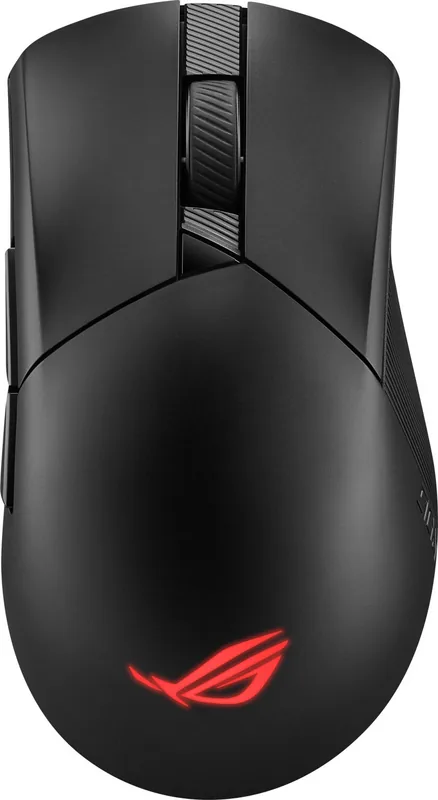
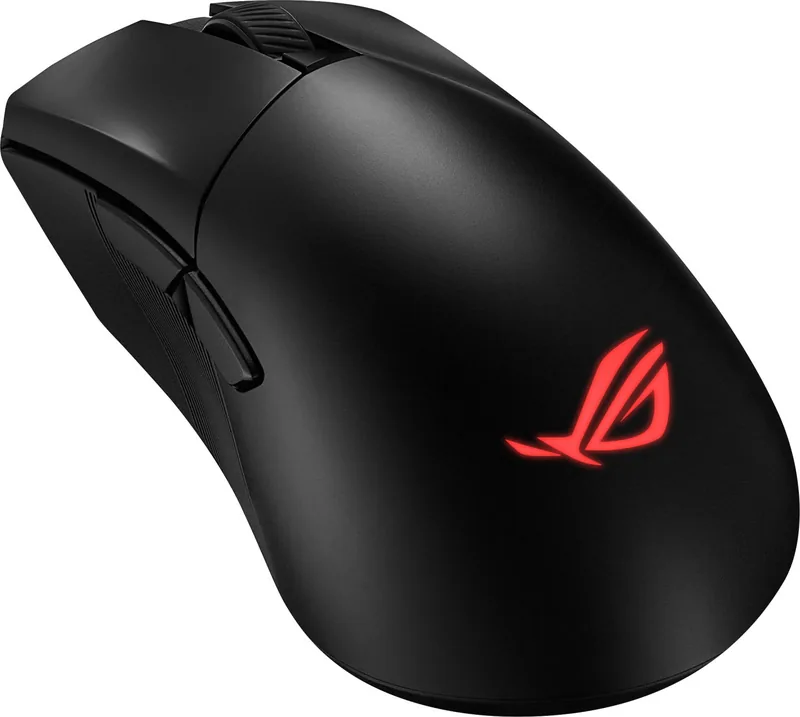
ASUS ROG Gladius III 무선 AimPoint 는 정밀함과 다재다능함을 재정의합니다. 프로 게이머를 위한 이 무선 파워하우스는 케이블의 복잡함을 없애면 전문가들이 요구하는 응답성을 유지합니다. 스트리밍, 편집, 또는 경쟁하든 원활한 연결 옵션은 사용자가 통제를 유지하도록 합니다. 이 마우스는 RF 무선, Bluetooth, 유선 연결을 포함한 다중 연결 방법을 지원합니다. 이 마우스는 어떤 환경에서도 유연성을 위해 설계된 완벽한 생태계를 나타냅니다.
소프트웨어 없이 설정 마스터
두드러진 기능 중 하나는 DPI On-The-Scroll 튜닝 기능입니다. 게이머는 종종 플레이 중에 즉시 민감도를 조정해야 합니다. 이 지능형 시스템을 사용하면 스크롤 휠을 사용하여 DPI 레벨을 직접 사용자 정의할 수 있습니다. LED 가 켜질 때까지 DPI 버튼을 3 초간 누르십시오. 그런 다음 휠을 앞으로 뒤로 돌려 조정하십시오. LED 색상은 선택한 설정에 따라 변경됩니다. 이는 Armoury Crate 를 매번 실행하지 않아도 시간이 절약되고 게임에 머무르게 합니다. 빠른 액세스를 위한 표준 DPI 레벨은 400, 800, 1600, 그리고 3200 DPI 기본값으로 미리 설정되어 있습니다.
멀티 호스트 연결
여러 기기를 관리하는 것이 더욱 쉬워졌습니다. Bluetooth 를 통해 최대 3 개의 추가 호스트 장치와 마우스를 페어링할 수 있습니다. 페어링 버튼을 누르면 즉시 전환됩니다. LED 표시등이 켜지거나 깜빡임하여 현재 활성화된 호스트를 확인합니다. 호스트 1 은 빨간색, 호스트 2 는 보라색, 호스트 3 은 파란색 조명 효과로 기본값이 설정됩니다. 이러한 시각적 피드백으로 연결 상태를 결코 잃지 않습니다. 재페어링 없이 Bluetooth 기기 간에 즉시 토글할 수 있습니다.
사용자 정의 및 업데이트
더 깊은 사용자 정의를 위해 공식 웹 사이트에서 Armoury Crate 소프트웨어를 설치하세요. 이 도구는 펌웨어 업데이트를 처리하고 바닥의 프로필 버튼으로 프로필 전환을 허용합니다. 색상 사이클, 브리딩, 정적, 그리고 리액티브 옐로우와 같은 다른 조명 효과가 포함된 5 가지 서로 다른 프로필에 액세스할 수 있습니다. 광학 센서는 100 에서 36000 DPI 의 해상도 범위를 제공합니다. 유선 USB Type-C 연결이 사용 가능하므로 신뢰성은 타협되지 않습니다. 이는 배터리 레벨이 낮거나 RF 간섭이 높을 때조차 높은 성능을 보장합니다.
하드웨어 및 안전
이 장치는 적절한 관리가 필요한 리튬 이온 배터리를 사용합니다. 극단적인 온도나 액체에 노출하지 마십시오. 패키지에는 RF 모드를 위한 USB 동글과 USB Type-C 케이블이 포함되어 있습니다. 사용하지 않을 때는 동글을 신중하게 보관해야 합니다. 안전 지침을 준수하면 수명이 보장됩니다. 수명을 늘리기 위해 스위치 교환도 가능합니다. 이 장비는 유연성을 추구하는 사람을 위한 프리미엄 선택입니다. 규제 준수는 안전 작동을 보장하며 무선 기능에 대한 특정 전력 및 간섭 표준을 충족합니다. 2.4GHz 모드에서 작동할 때 무선 동글 익스텐더 사용을 권장합니다. 이는 최적의 신호 강도를 위해 컴퓨터 캐비닛의 간섭을 방지합니다. 수신기를 마우스에 더 가깝게 유지하려면 장치에 직접 삽입됩니다. 이 설정은 지연을 최소화하고 강렬한 세션 동안 안정적인 패킷 전송을 보장합니다. RF 또는 Bluetooth 사용을 활성화하려면 연결 모드 스위치가 올바르게 설정되어 있는지 항상 확인하여 해당 LED 동작을 활성화하십시오.